Together.ai Dedicated Instance
Run a dedicated instance for your LLM and save on tokens

How to Set Up a Together.ai Dedicated Instance in Warp
Running a dedicated instance on Together.ai guarantees you get predictable performance. You avoid fighting for compute during peak hours, and you can point your local tools directly at a model you control. I use Warp for my terminal, and wiring the two together takes about three minutes.
Here is how to get your own model running and connected.
1. Spin up the dedicated instance
Head over to Together.ai to create the instance. You just need to choose the specific model you want to run and allocate the hardware. I recorded a quick video of the exact steps so you can see where everything lives in the interface.
A quick note on cost: Dedicated instances get expensive if left running. Make sure to set an auto-shutoff timeout so you do not pay for idle time. Because it takes over 10 minutes just to launch the instance, this setup makes the most sense when you plan to sit down and code for a while, rather than for quick, one-off tasks.
2. Grab your API keys
Before leaving Together.ai, you need your credentials. Navigate to your account settings and find the API keys section. Generate a new key and copy it to your clipboard.
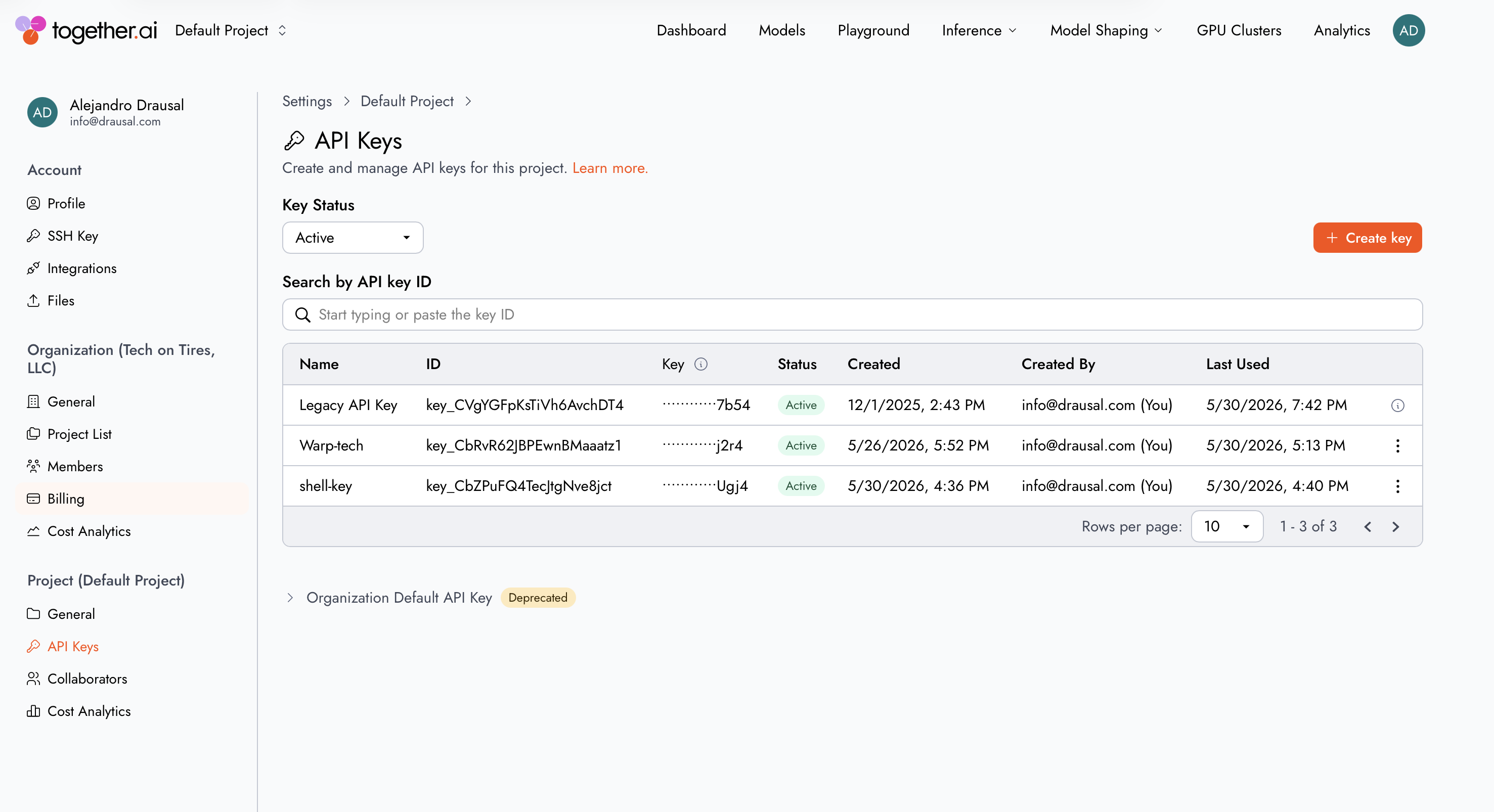
3. Configure Warp
Open Warp and head to the custom endpoint settings. This is where you tell the terminal to stop using the default AI provider and route requests to your new Together.ai instance instead.
Paste the API key you just generated. You also need to update the endpoint URL to match your dedicated instance. The screenshot below shows exactly where these values go.
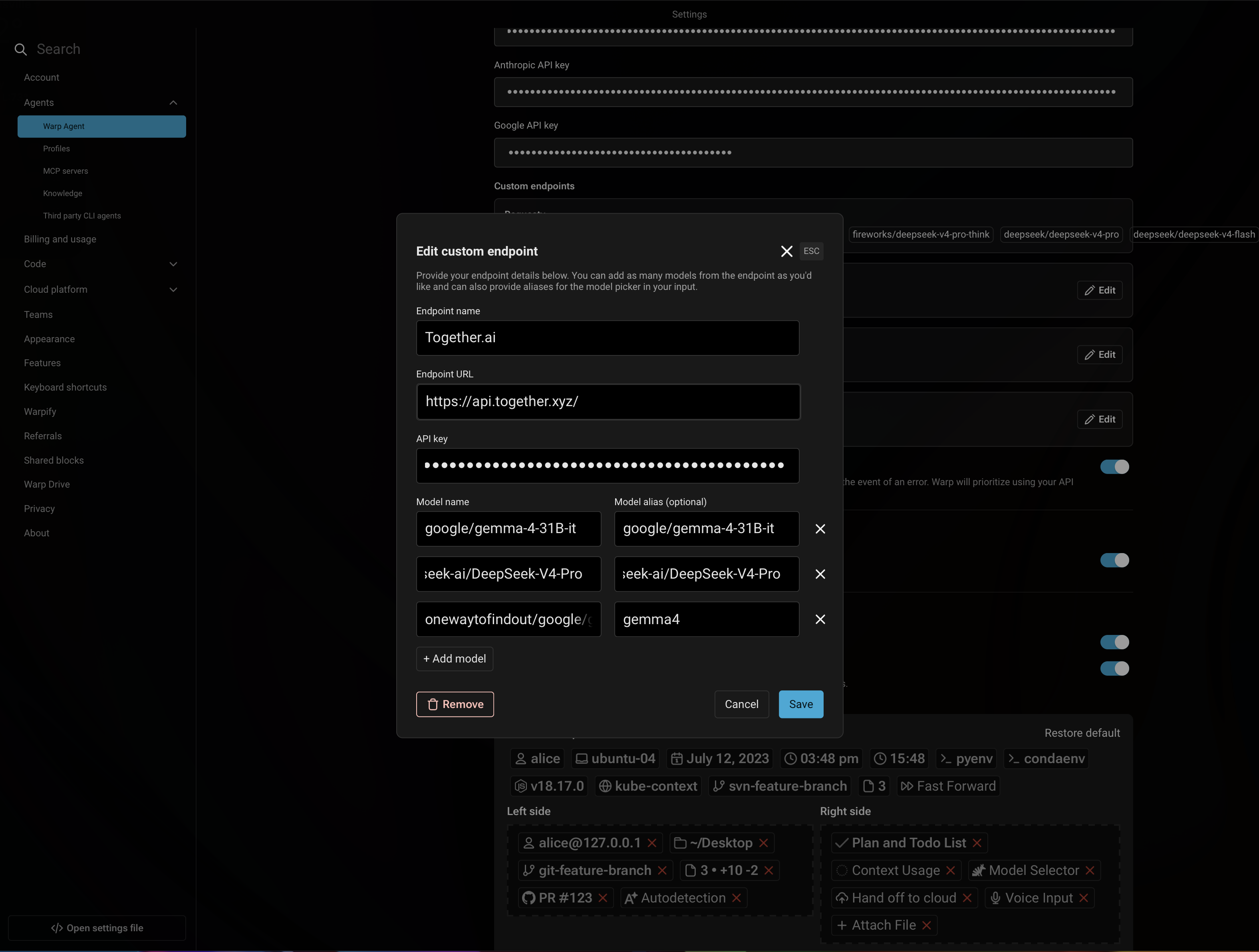
Save your settings, and your terminal AI requests will now hit your private instance.
4. Use it with other BYOK tools
You are not limited to Warp. Because Together.ai provides an OpenAI-compatible endpoint, you can plug your custom URL and API key into almost any "Bring Your Own Key" (BYOK) tool or agentic system. Some popular options include:
- Coding Agents: Cline, Aider, and OpenClaw
- IDEs: Cursor and Continue.dev
- Chat Interfaces: Open WebUI and AnythingLLM